How to Create a Grid Layout Using CSS
In a real-life scenario, it is common for one grid item to span over multiple columns or rows.
Spanning over multiple columns
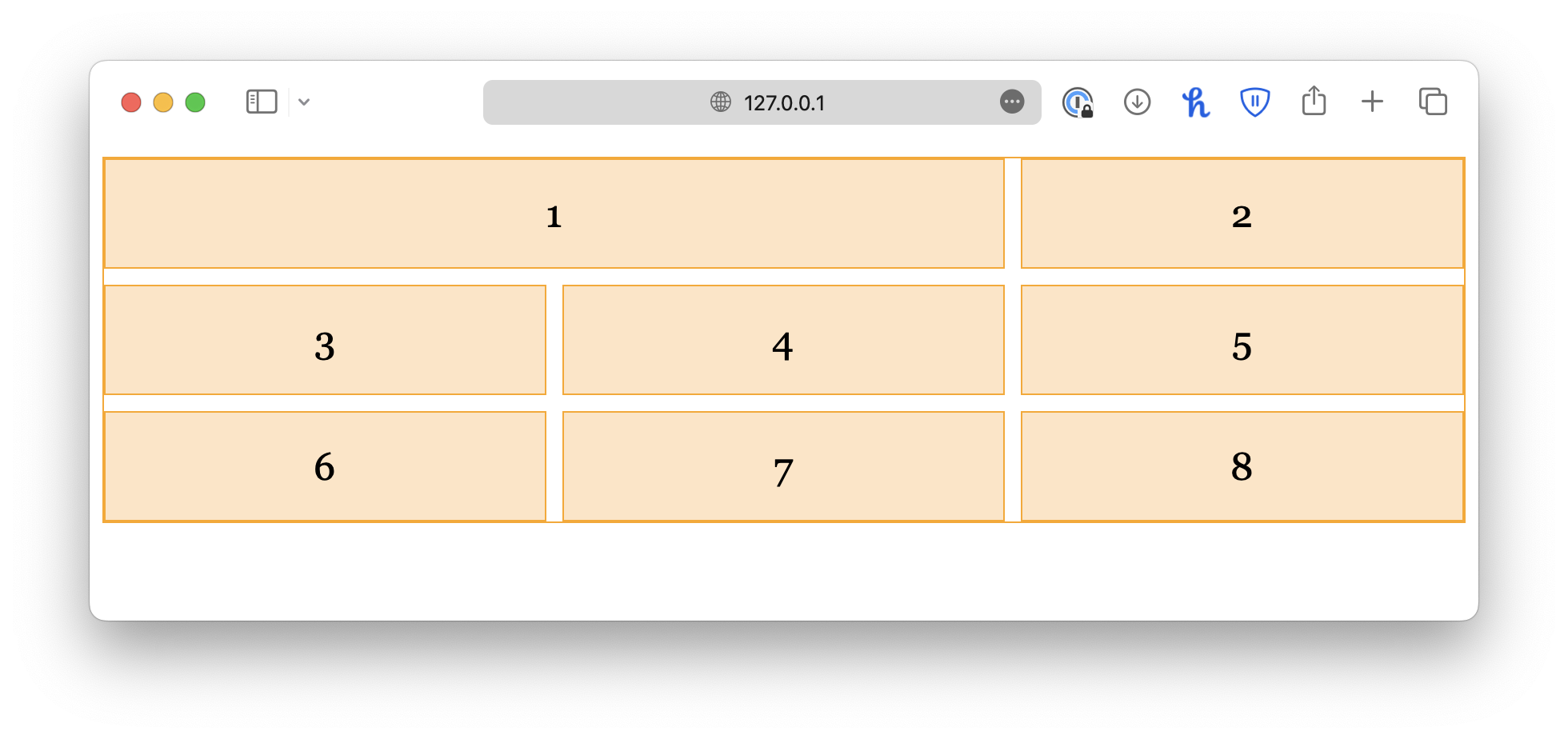
To make a grid item span across multiple columns, you can specify the start and end points of the item using grid-column-start and grid-column-end.
<div class="container">
  <div class="item-2col">1</div>
  <div class="item">2</div>
  <div class="item">3</div>
  <div class="item">4</div>
  <div class="item">5</div>
  <div class="item">6</div>
  <div class="item">7</div>
  <div class="item">8</div>
</div>.container {
display: grid;
grid-template-columns: auto auto auto;
gap: 10px;
}
.item {
/* . . . */
}
.item-2col {
grid-column-start: 1;
grid-column-end: 3;
}
Keep in mind that the numbers refer to the column line, not the column itself, as shown in the chart below.
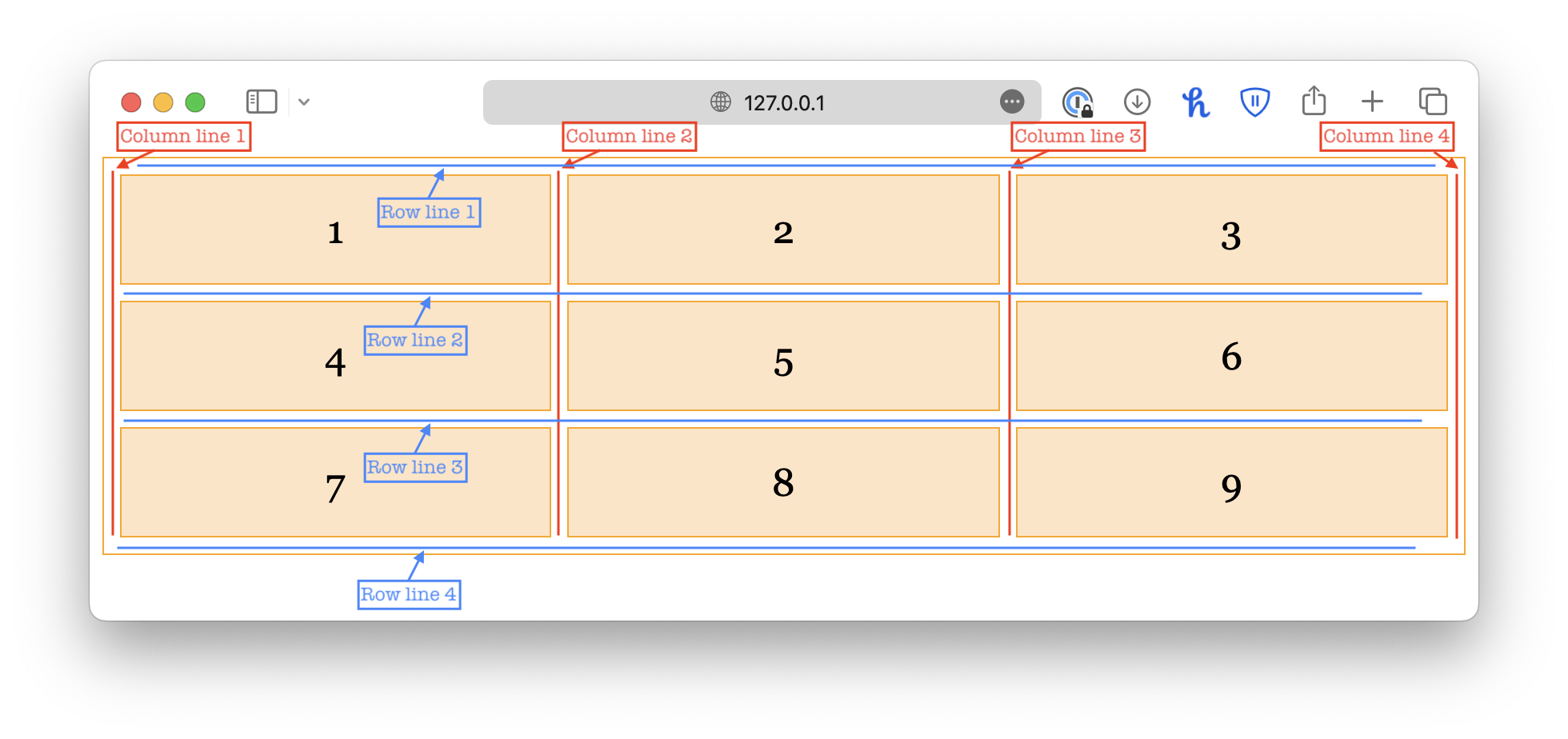
So, for an item to span over two columns, it should start from 1 and end with 3.
You can also use the shorthand property grid-column to achieve the same result:
.item-2col {
  grid-column: 1 / 3;
}
Instead of counting the grid lines, you can specify the number of columns you want the item to span over, and the browser will calculate the grid lines automatically.
/* Spanning 2 columns */
.item-2col {
  grid-column: span 2;
}

/* Spanning 3 columns */
.item-3col {
  grid-column: span 3;
}
Spanning over multiple rows
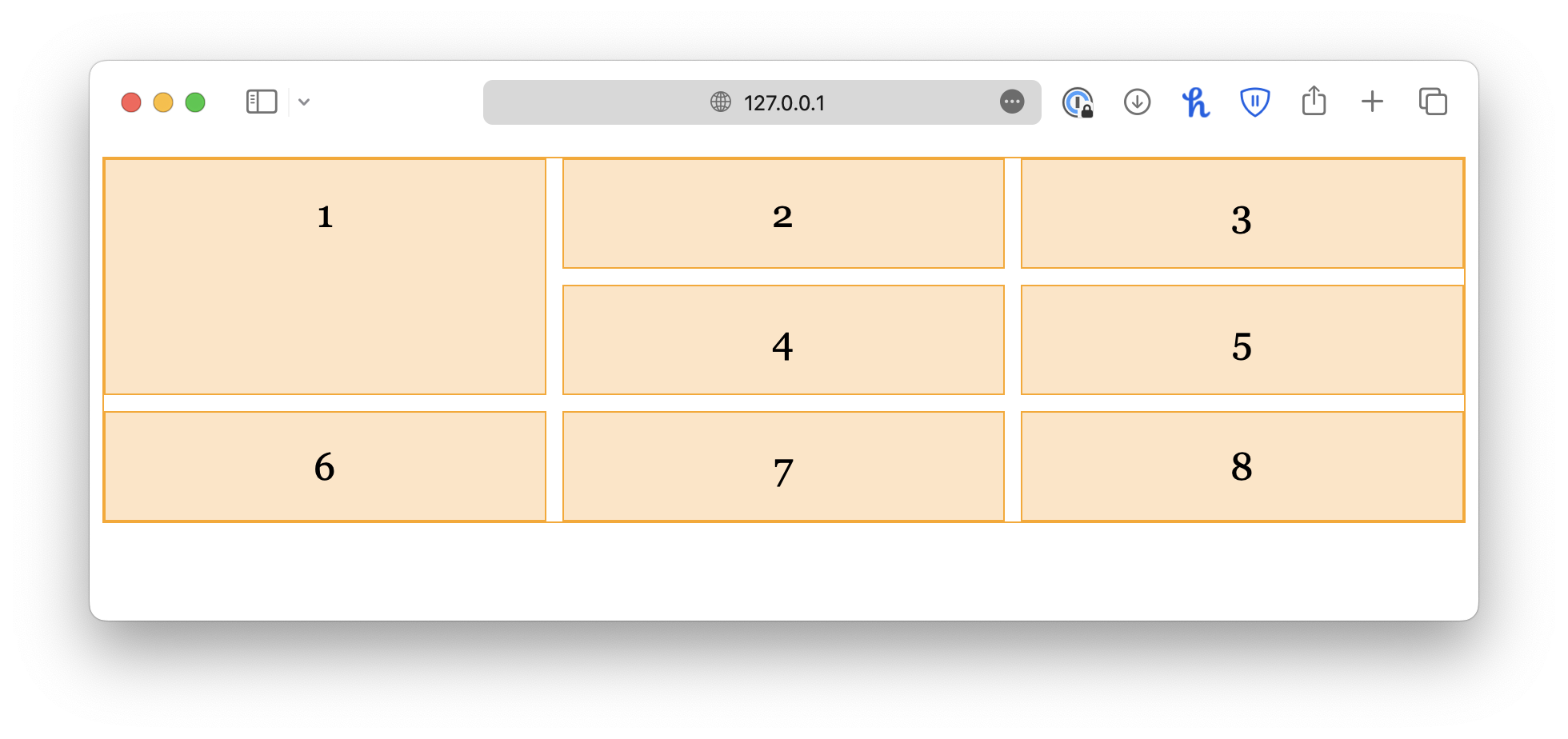
Similarly, you can make a grid item to span across multiple rows using the grid-row-start and grid-row-end properties, or the grid-row shorthand.
.item-2row {
  grid-row-start: 1;
  grid-row-end: 3;
}.item-2row {
grid-row: 1 / 3;
}
Spanning over an area
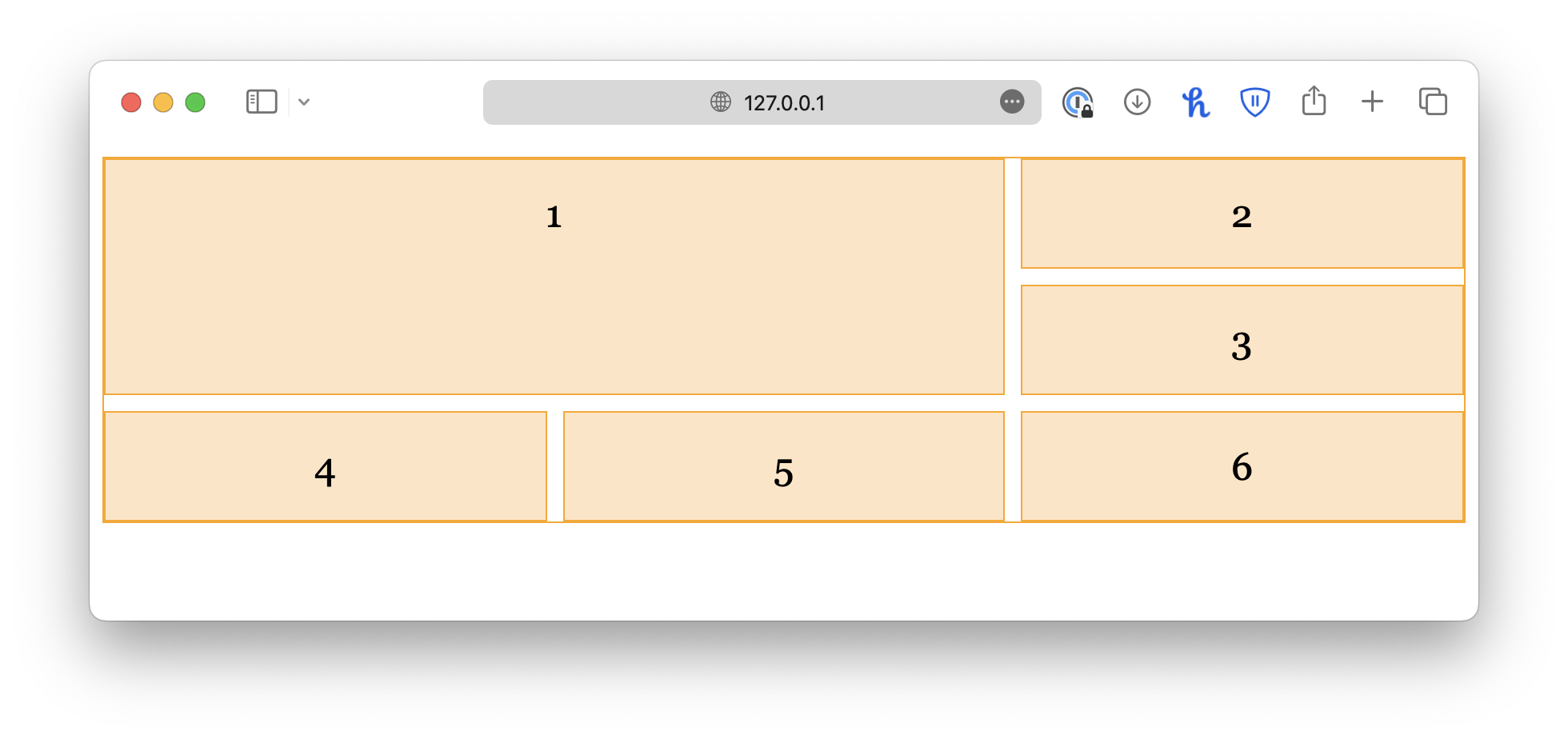
If an item needs to span over multiple rows and columns at the same time, you can use the grid-area property instead, which is a shorthand for both grid-row and grid-column.
The property has the following syntax:
grid-area: <row_start> / <col_start> / <row_end> / <col_end>.item-area {
grid-area: 1 / 1 / 3 / 3;
}
<!DOCTYPE html>
<html lang="en">

<head>
  <meta charset="UTF-8">
  <meta name="viewport" content="width=device-width, initial-scale=1.0">
  <title>Document</title>

  <link rel="stylesheet" href="/styles.css">
</head>

<body>
  <div class="container">
    <div class="item">1</div>
    <div class="item">2</div>
    <div class="item">3</div>
    <div class="item">4</div>
    <div class="item">5</div>
    <div class="item">6</div>
  </div>
</body>

</html>