React Project Structure
Now, let's take a closer look at what Vite has created for us:
<my_project>
├── .gitignore            # Files and folders Git should ignore (e.g. node_modules, .env)
├── README.md
├── eslint.config.js      # ESLint configuration for linting rules
├── index.html            # App entry HTML served to the browser
├── package-lock.json     # Exact dependency tree (auto-generated)
├── package.json          # Project metadata, scripts, and dependencies
├── public                # Static assets that are served publicly
│   ├── favicon.svg
│   └── icons.svg
├── src                   # Source code for the application
│   ├── App.css           # Component-level styles for App.jsx
│   ├── App.jsx           # Root React component for the app
│   ├── assets            # Images and other media used by the app
│   │   ├── hero.png
│   │   ├── react.svg
│   │   └── vite.svg
│   ├── index.css         # Global styles
│   └── main.jsx          # App bootstrap, mounts React into the DOM
└── vite.config.js        # Vite configuration
The folders
There are two folders under the project directory: public and src.
public contains all the static assets that should be publicly available, meaning the user can directly access the files by going to the url https://<your_domain>/favicon.svg:
<my_project>
├── .gitignore
├── README.md
├── eslint.config.js
├── index.html
├── package-lock.json
├── package.json
├── public
│   ├── favicon.svg
│   └── icons.svg
├── src
│   ├── App.css
│   ├── App.jsx
│   ├── assets
│   │   ├── hero.png
│   │   ├── react.svg
│   │   └── vite.svg
│   ├── index.css
│   └── main.jsx
└── vite.config.js
src contains the source code of the app, and that is why are going to do most of our work inside this folder:
<my_project>
├── .gitignore
├── README.md
├── eslint.config.js
├── index.html
├── package-lock.json
├── package.json
├── public
│   ├── favicon.svg
│   └── icons.svg
├── src
│   ├── App.css
│   ├── App.jsx
│   ├── assets
│   │   ├── hero.png
│   │   ├── react.svg
│   │   └── vite.svg
│   ├── index.css
│   └── main.jsx
└── vite.config.js
Notice that there's also a src/assets folder, for storing static assets as well:
<my_project>
├── .gitignore
├── README.md
├── eslint.config.js
├── index.html
├── package-lock.json
├── package.json
├── public
│   ├── favicon.svg
│   └── icons.svg
├── src
│   ├── App.css
│   ├── App.jsx
│   ├── assets
│   │   ├── hero.png
│   │   ├── react.svg
│   │   └── vite.svg
│   ├── index.css
│   └── main.jsx
└── vite.config.js
The difference is that these assets can only be imported into the app, and user cannot access them directly.
The index.html file
<my_project>
├── .gitignore
├── README.md
├── eslint.config.js
├── index.html
├── package-lock.json
├── package.json
├── public
│   ├── favicon.svg
│   └── icons.svg
├── src
│   ├── App.css
│   ├── App.jsx
│   ├── assets
│   │   ├── hero.png
│   │   ├── react.svg
│   │   └── vite.svg
│   ├── index.css
│   └── main.jsx
└── vite.config.js
index.html is the entry point of the entire app. It is the file that is served to the user when they visit your site.
It looks like this:
index.html
<!doctype html>
<html lang="en">
  <head>
    <meta charset="UTF-8" />
    <link rel="icon" type="image/svg+xml" href="/favicon.svg" />
    <meta name="viewport" content="width=device-width, initial-scale=1.0" />
    <title>example</title>
Pay attention to the highlighted line. It imports a /src/main.jsx file into the app. This is the app bootstrap that brings React into the webpage.
The src/main.jsx file
<my_project>
├── .gitignore
├── README.md
├── eslint.config.js
├── index.html
├── package-lock.json
├── package.json
├── public
│   ├── favicon.svg
│   └── icons.svg
├── src
│   ├── App.css
│   ├── App.jsx
│   ├── assets
│   │   ├── hero.png
│   │   ├── react.svg
│   │   └── vite.svg
│   ├── index.css
│   └── main.jsx
└── vite.config.js
This file takes the root element from our index.html, and mounts an App component onto it.
src/main.jsx
import { StrictMode } from "react";
import { createRoot } from "react-dom/client";
import "./index.css";
import App from "./App.jsx";

createRoot(document.getElementById("root")).render(
  <StrictMode>
    <App />
  </StrictMode>,
);
To avoid unexpected errors, do not change anything in this file.
The src/App.jsx file
<my_project>
├── .gitignore
├── README.md
├── eslint.config.js
├── index.html
├── package-lock.json
├── package.json
├── public
│   ├── favicon.svg
│   └── icons.svg
├── src
│   ├── App.css
│   ├── App.jsx
│   ├── assets
│   │   ├── hero.png
│   │   ├── react.svg
│   │   └── vite.svg
│   ├── index.css
│   └── main.jsx
└── vite.config.js
This is the root component for the entire app. It describes the homepage we saw in the previous lesson:
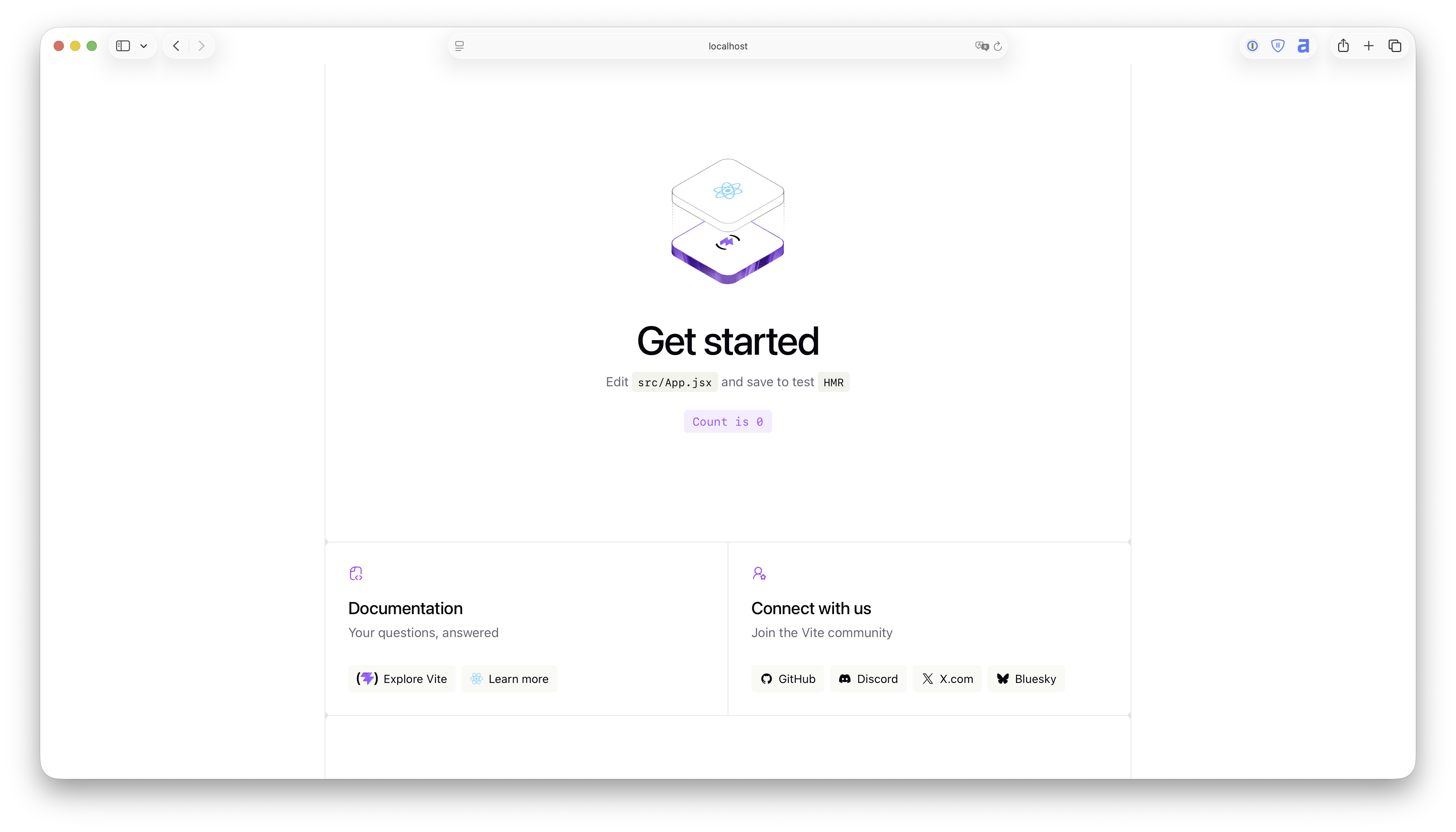
src/App.jsx
import { useState } from "react";
import reactLogo from "./assets/react.svg";
import viteLogo from "./assets/vite.svg";
import heroImg from "./assets/hero.png";
import "./App.css";

function App() {
  const [count, setCount] = useState(0);
We'll discuss more about its syntax later.
export default function App() {
  return <h1>Hello, World!</h1>
}