Documentation

Get Started

  • Get Started

Core Features

  • User Authentication
  • Database Integration
  • Email Delivery
  • Static Blog
  • Payment Collection
  • Predefined Styles
  • Private Pages
  • Private APIs
  • SEO Configuration
  • OG Image Generation
  • AI Integration

Components

  • Header
  • Footer
  • Hero Section
  • Features Section
  • Highlight Section
  • Stripe Button
  • Subscribe Form
  • Signin Form
  • Email Templates
  • FAQ Accordion
  • Theme Switcher
  • Rating
  • Call to Action
  • MDX Components
  • Table of Contents
  • Sidebar

Get Started

  • Get Started

Core Features

  • User Authentication
  • Database Integration
  • Email Delivery
  • Static Blog
  • Payment Collection
  • Predefined Styles
  • Private Pages
  • Private APIs
  • SEO Configuration
  • OG Image Generation
  • AI Integration

Components

  • Header
  • Footer
  • Hero Section
  • Features Section
  • Highlight Section
  • Stripe Button
  • Subscribe Form
  • Signin Form
  • Email Templates
  • FAQ Accordion
  • Theme Switcher
  • Rating
  • Call to Action
  • MDX Components
  • Table of Contents
  • Sidebar

Getting Started with the SaaS Boilerplate

Welcome to TheDevSpace, the production-ready boilerplate that help you launch your next SaaS product in days!

After purchasing the boilerplate, you will receive a GitHub invitation email to join our @thedevspacehq organization.
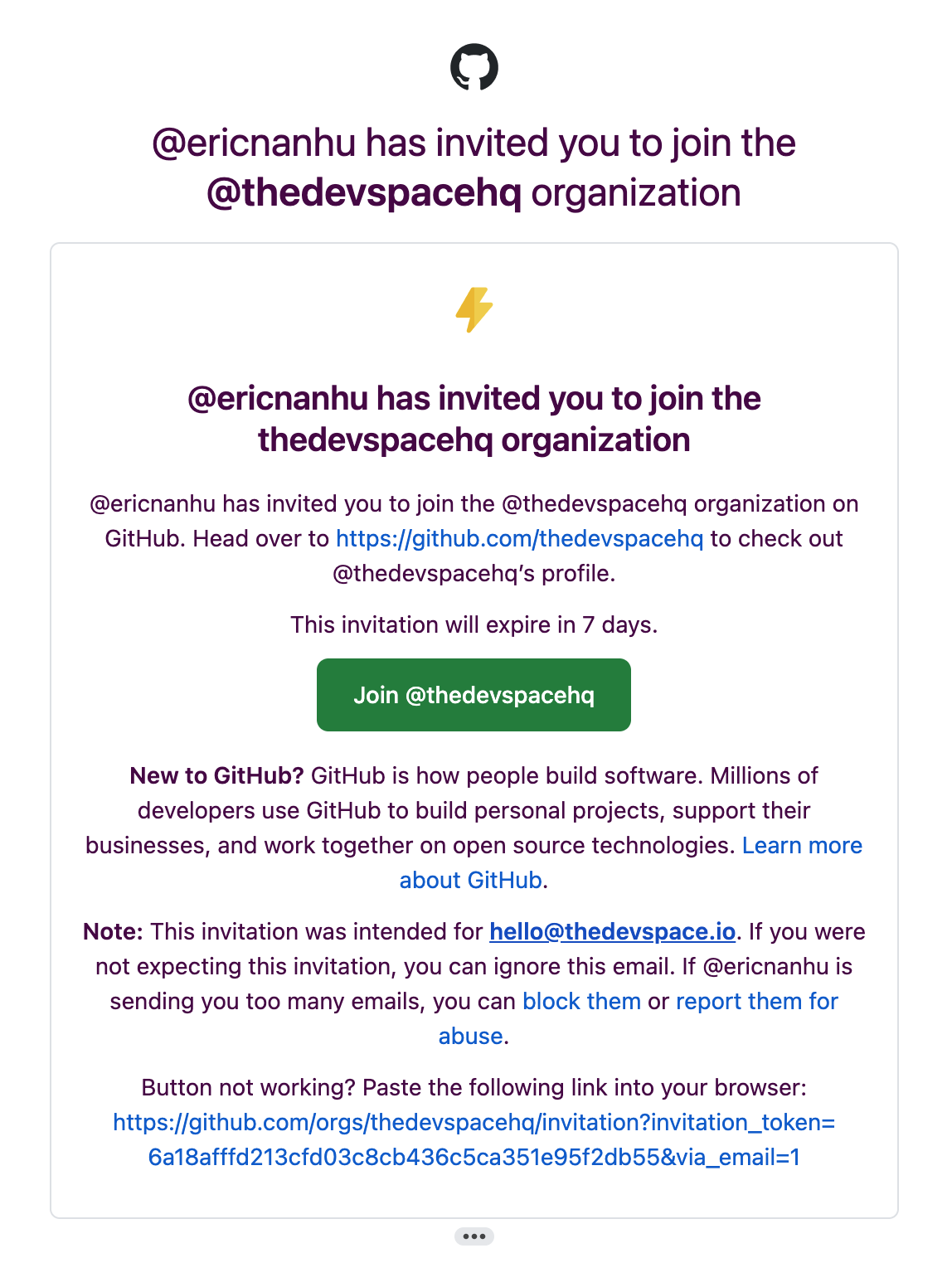
GitHub Join Organization

You have 7 days to accept the invitation before the link expires. If it does, please contact hello@thedevspace.io for assistance.

After accepting the invitation, you can access the boilerplate repo at https://github.com/thedevspacehq/next-boilerplate.
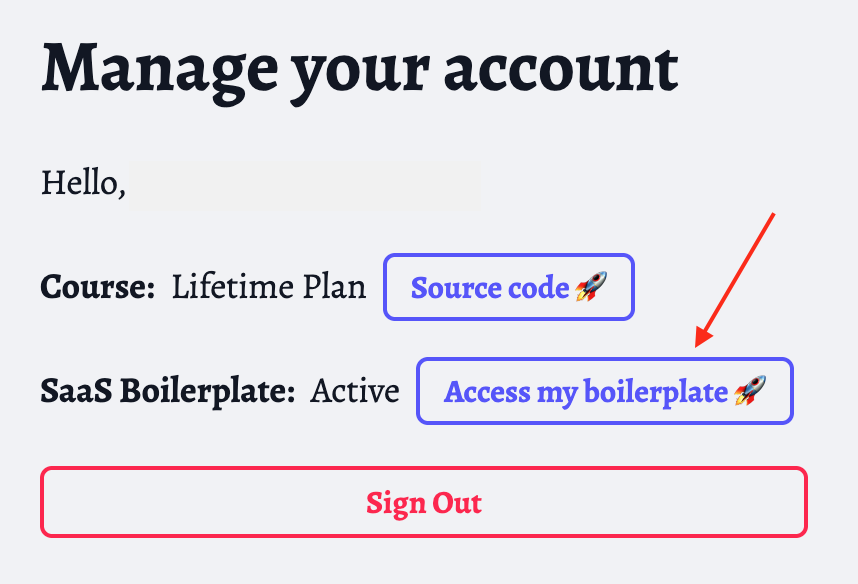
Access Boilerplate

Fork the GitHub repo

Next, create a fork of the boilerplate repo.
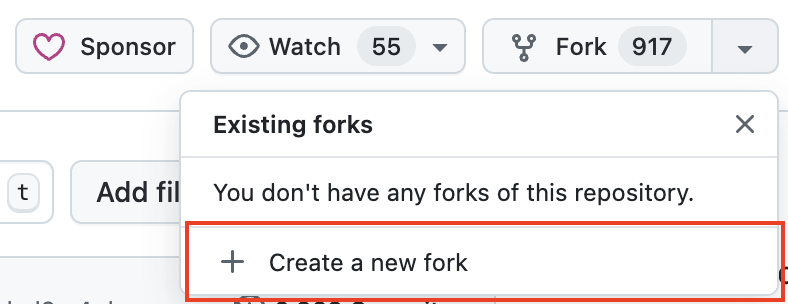
GitHub Fork

This way you'll own the forked repo, but it will still have a link to the original repository. Whenever we make a change to the original repo, you can easily synchronize the changes by clicking the Sync Fork button.

Clone the repo

And next, clone the forked repo to your local dev environment using the following command:

bash
git clone <your-forked-repo>

Change into the project directory:

bash
cd <your-forked-repo>

Copy the .env.example into .env:

bash
cp .env.example .env

Install the necessary packages:

bash
npm install

And finally start the dev server:

bash
npm run dev

Next steps

Before you can continue building your SaaS, there are a few things you need to configure:

  • User authentication
  • Database integration
  • Email delivery

Full Stack AI Dev

RoadmapCommunityPricing

SaaS Boilerplate

Next.js BoilerplateDocumentation

Contribute

Write for UsStyle Guide

Free Tools

HTML CompilerJavaScript CompilerNode.js CompilerReact CompilerNext.js Compiler

Legals

Privacy PolicyTerms of ServiceContact Us
© 2026TheDevSpace.io| All Rights Reserved
RoadmapSaaS BoilerplatePricingCommunity
CheatsheetsHTML CompilerJavaScript CompilerNode CompilerReact CompilerNext.js Compiler
Get Started
CourseNext.js BoilerplatePricingCommunity
Freebies
CheatsheetsHTML CompilerJavaScript CompilerNode CompilerReact CompilerNext.js Compiler