Get Started
Core Features
User Authentication
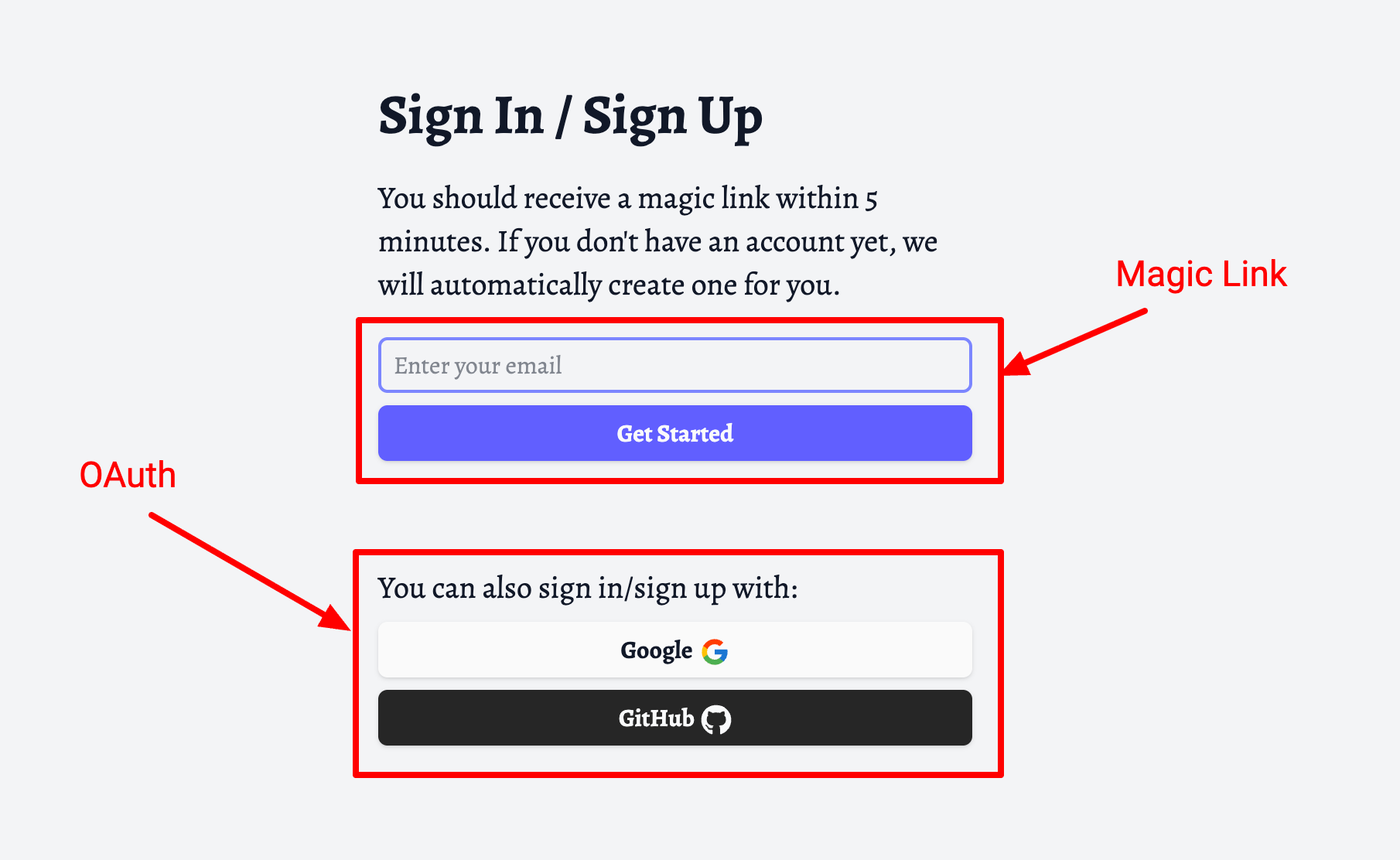
TheDevSpace boilerplate is shipped with a magic link as well as OAuth authentication systems.
Magic Link Authentication
Magic link is a modern, passwordless authentication mechanism.
It is done by sending a link to the user's inbox, and the user will be authenticated when they click on that link before it expires.
This modern authentication system is more secure, and is used in favour of traditional password systems.
Our auth system is created based on Auth.js, a widely used authentication library with an active community.
Auth.js requires an AUTH_SECRET environmental variable, which can be generated with the following command:
npx auth secretDouble check your .env file to make sure an AUTH_SECRET has been successfully created.
.env
AUTH_SECRET="5GNI5FL..."An AUTH_RESEND_KEY also needs to be set in order to enable email delivery, please see Email Delivery for details.
Social OAuth Authentication
OAuth is another secure authorization framework that allows users to grant third-party apps (platforms like Google, GitHub) access to their data, without directly sharing their credentials.
Different platforms have different procedures for setting up OAuth, and we are going to use GitHub as an example here.
First, you must register an OAuth app with GitHub.
Go to Settings -> Developer Settings -> OAuth Apps, and click on the New OAuth app button.
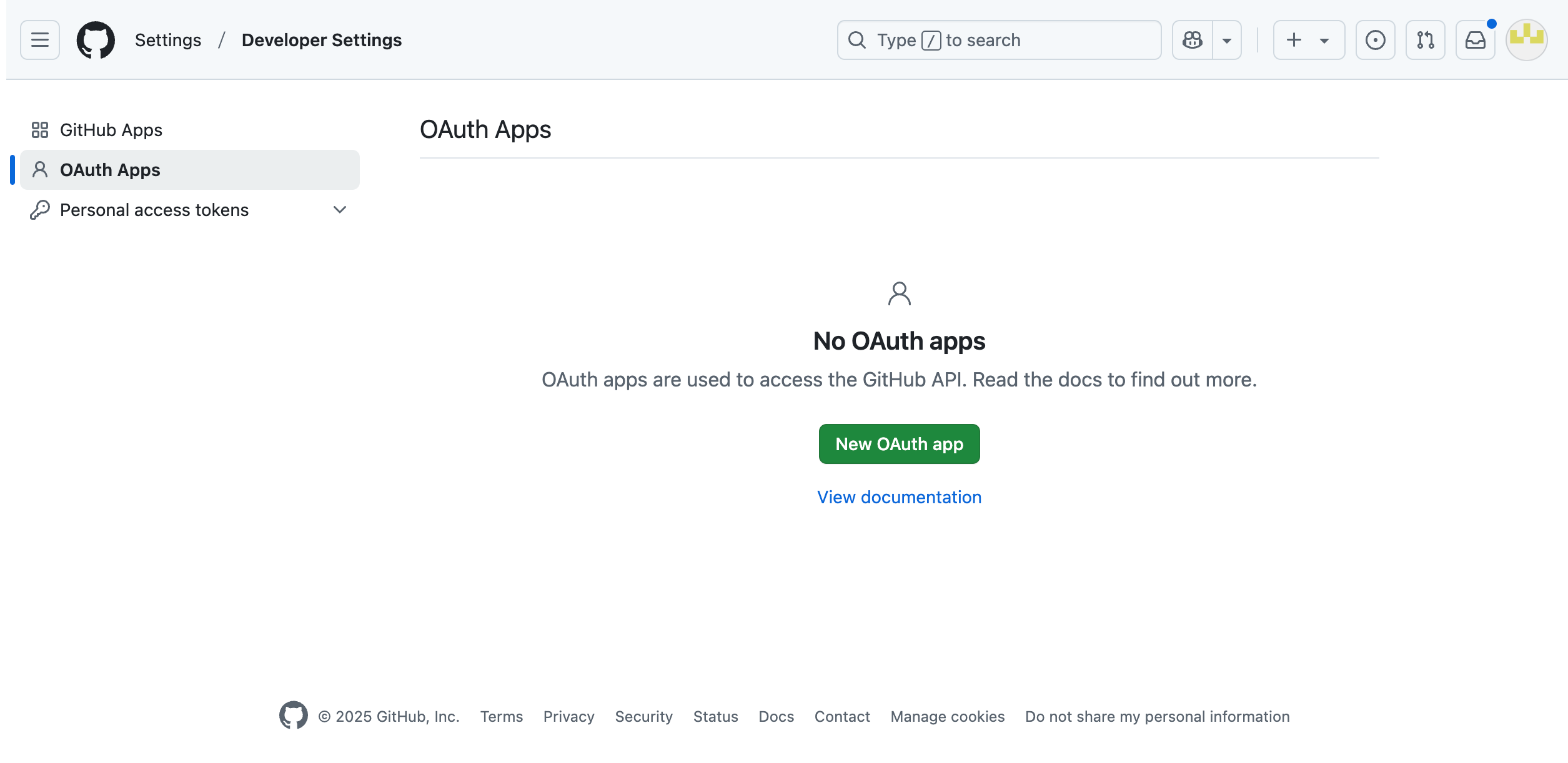
You will be directed to the next page where you need to provide some information about your app.

The Application name can be anything you want
The Homepage URL should point to the production homepage URL of your app.
The Authorization callback URL is an API endpoint within your app, allowing GitHub to communicate with it.
For our boilerplate, this API endpoint is configured to be <your_domain>/api/auth/callback/github.
Click on Register application, and you should see the following page where you can find the Client ID:
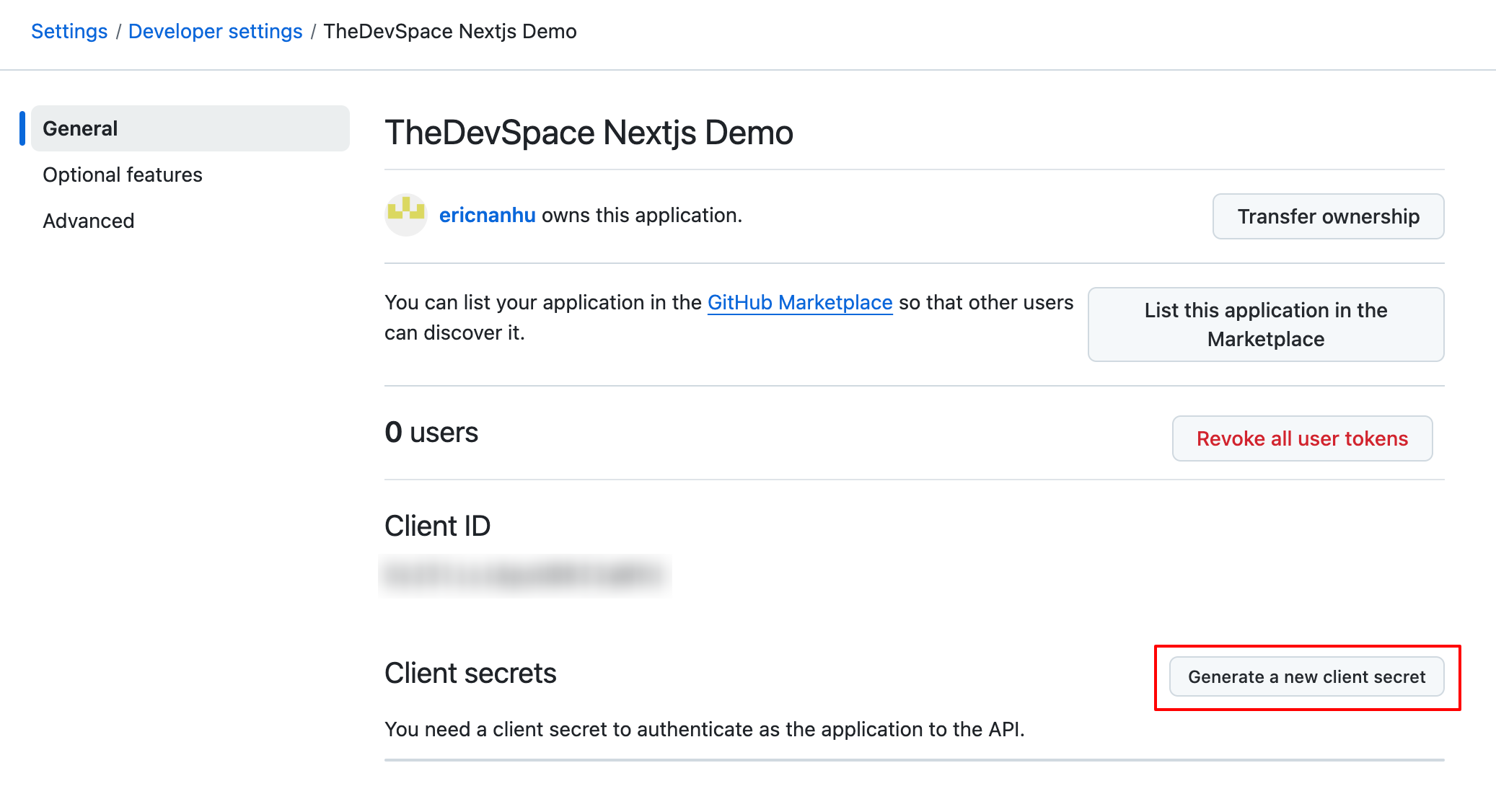
Then generate a client secret:
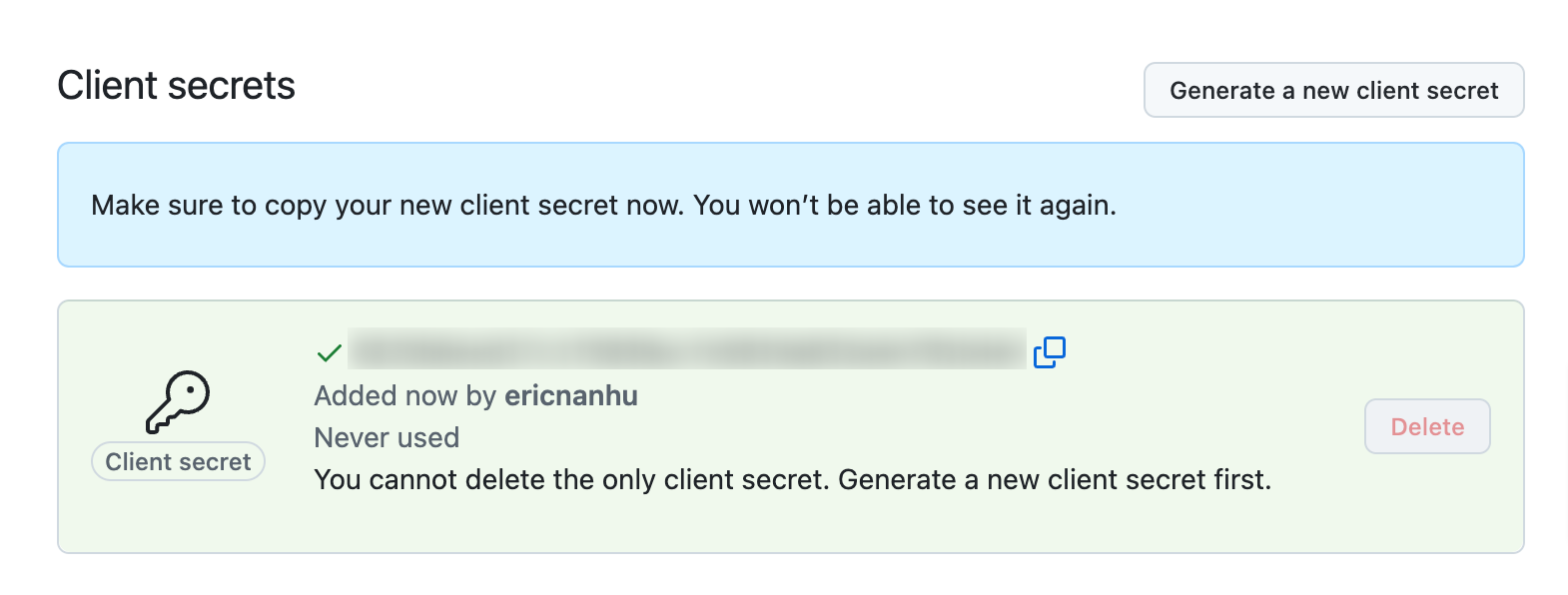
And save the Client ID and Client Secret inside your .env as AUTH_GITHUB_ID and AUTH_GITHUB_SECRET respectively.
.env
AUTH_GITHUB_ID="<client_id>"
AUTH_GITHUB_SECRET="<client_secret>"
Next step
When a user is successfully authenticated for the first time, a new user will be created and saved in a database, so make sure to set up the database integration as well.