Loading course content...
Fundamentals of Full-Stack Development
Full-stack development is the process of creating and maintaining both the frontend and the backend part of an application.
The responsibilities of a full-stack developer usually include:
- Designing the appearance of the web app
- Implementing the functionalities
- Deploying the app to the server
- Optimizing and scaling the app to ensure optimal performance
What is the frontend
A web application can be split into two parts: frontend & backend.
The frontend is the part of a website that users can see and interact with in their browser.
When you enter a URL and press Enter, the interface that you see is the frontend. It is built using HTML, CSS, and JavaScript.
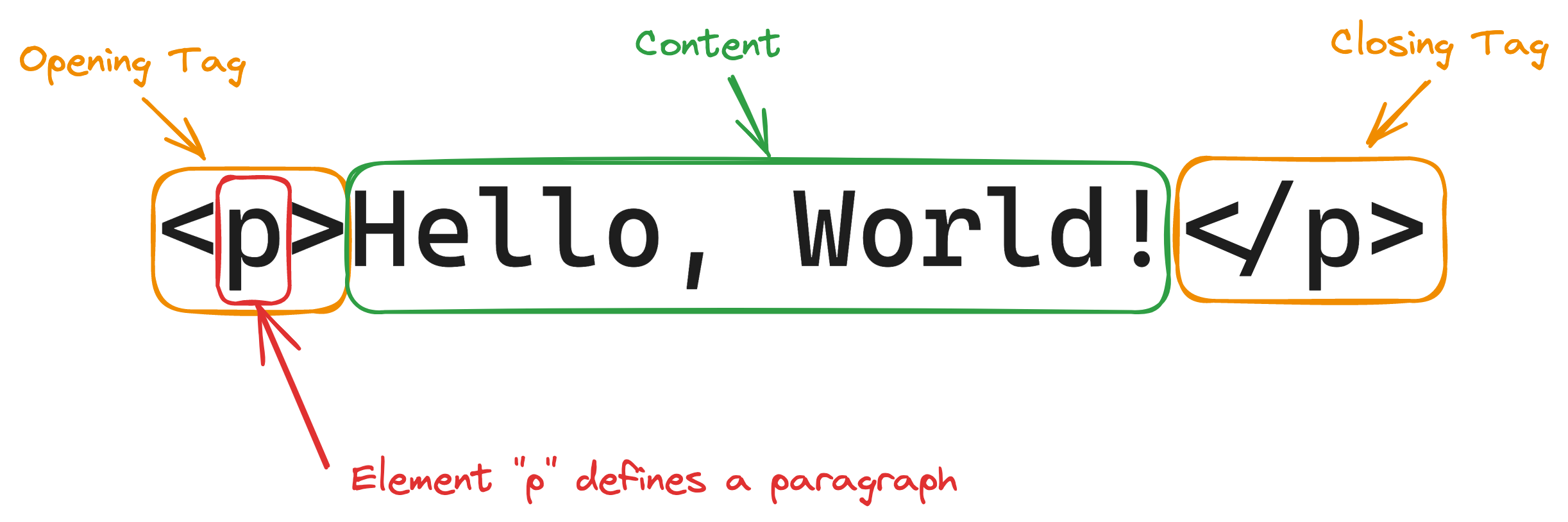
HTML defines the structure and content of a webpage, which are made of HTML tags.
Different tags define different elements.
CSS defines the appearance of the HTML elements. It is made of a selector and a set of style rules in key/value pairs.
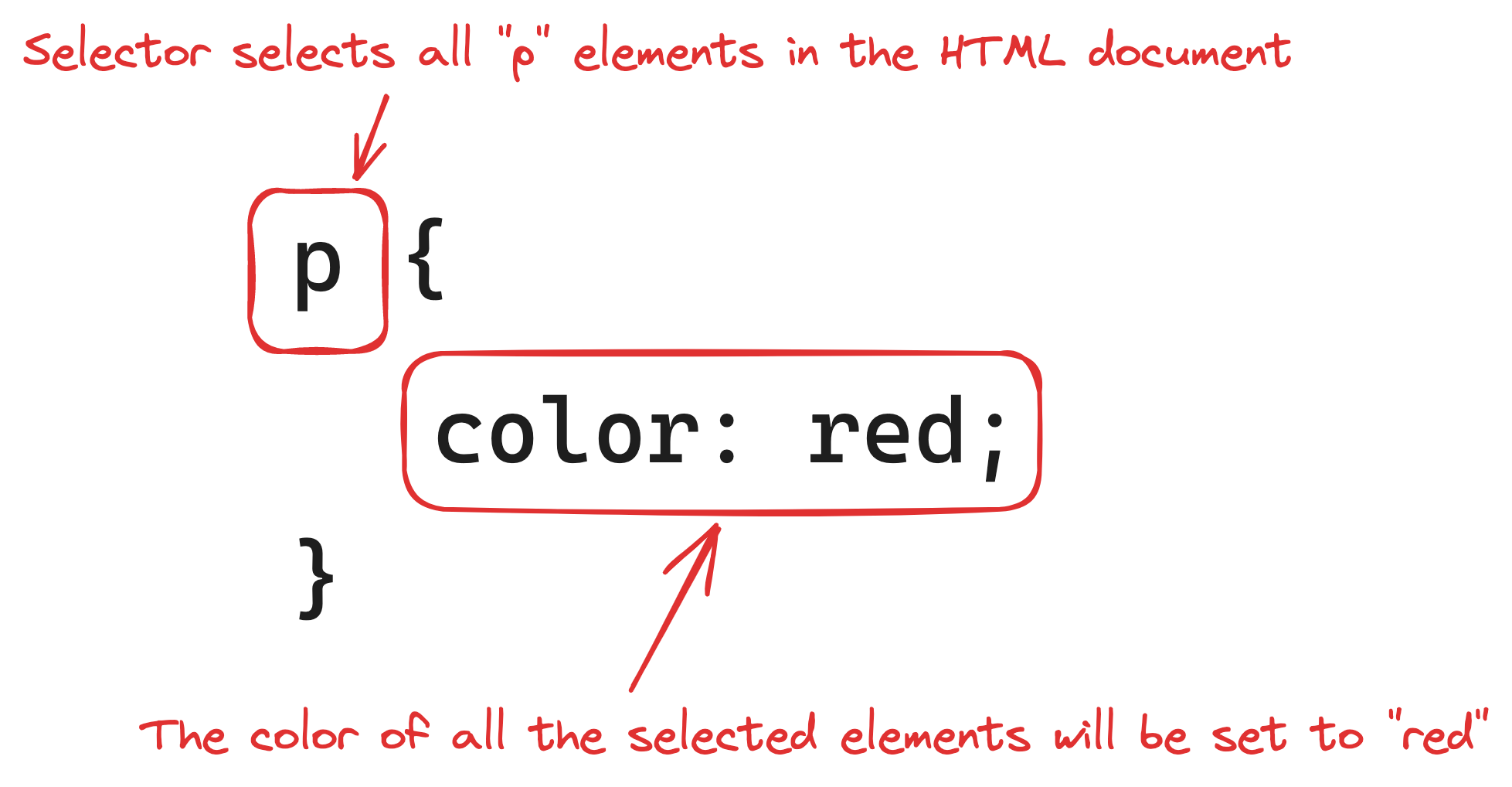
The example above selects all <p> elements, and applies the style rule color: red;.
Sometimes, you need to add interactivity for your webpage, such as an image that zooms in when clicked. That's where JavaScript shines.
As a demonstration, the example in the Code Playground creates a square that moves back and forth when the corresponding button is clicked.
Implementing something like this does require decent programming skills. We are going to come back to this topic after covering JavaScript first.
What is the backend
The backend part of the app is all about data.
It receives data from the user, processes it, and sends it to the database for long-term storage.
Or it goes the other way, the backend retrieves data from the database, processes it, and serves it to the user.
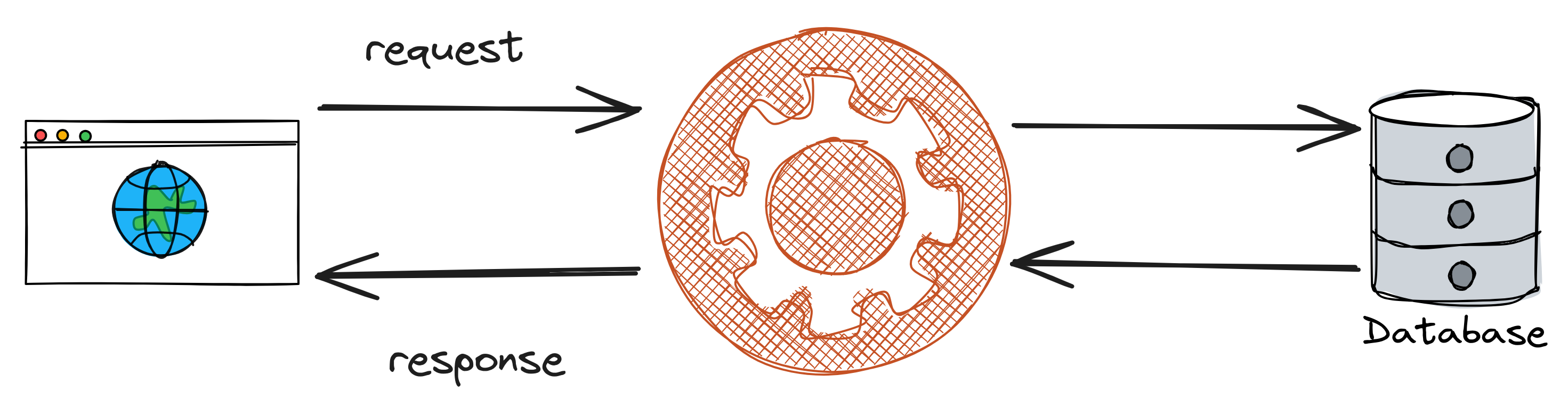
The backend program can be written in many different languages, such as JavaScript, Python, PHP, Java, and more.
For this course, we are going to use JavaScript, as it is the only one that works in both the frontend and the backend.
What's in this roadmap
This roadmap walks you through everything you need to know to become a full-stack developer.
We are going to cover:
- The fundamentals of HTML, CSS, and JavaScript
- Backend development with JavaScript
- Frontend development with React.js
- Full-stack development with Next.js
- Creating AI apps powered by OpenAI, or any other ML model providers
Along the way, we are going to create real apps, from calculators and to-do lists, to SaaS platforms and AI chatbots.
Without further ado, let's get started!
<!DOCTYPE html>
<html lang="en">

<head>
  <meta charset="UTF-8" />
  <meta name="viewport" content="width=device-width, initial-scale=1.0" />
  <title>Document</title>

  <style>
    #demo {
      width: 100px;
      height: 100px;
      background: red;
      position: absolute;
      left: 5px;
      top: 40px;
      transition: all 0.5s linear;
    }
  </style>
</head>

<body>
  <button onclick="moveDiv()">Move</button>
  <button onclick="returnDiv()">Return</button>
  <div id="demo">
    <div>
      <script>
        function moveDiv() {
          document.getElementById("demo").style.left = "400px";
        }

        function returnDiv() {
          document.getElementById("demo").style.left = "5px";
        }
      </script>