Loading course content...
Table of Contents
How to Create a Grid Layout Using CSS
Code Playground is only enabled on larger screen sizes.
A grid layout consists of a grid container and several grid items.
The grid container must have its display property set to grid or inline-grid.
grid creates a block-level container, and inline-grid creates an inline-level container.
html
<div class="container">
  <div class="item">1</div>
  <div class="item">2</div>
  <div class="item">3</div>
  <div class="item">4</div>
  <div class="item">5</div>
  <div class="item">6</div>
</div>
css
.container {
  display: grid;
}
All direct children of this container will automatically become grid items.
Grid columns
You can then create columns inside the container using the grid-template-columns property.
The number of values determines the number of columns, and the value itself determines the size of that column.
For example:
css
.container {
  display: grid;
  grid-template-columns: 100px 200px;
}

.item {
  font-family: Georgia, "Times New Roman", Times, serif;
  font-size: x-large;
  text-align: center;
  padding: 20px;
  border: 1px solid orange;
  background-color: bisque;
}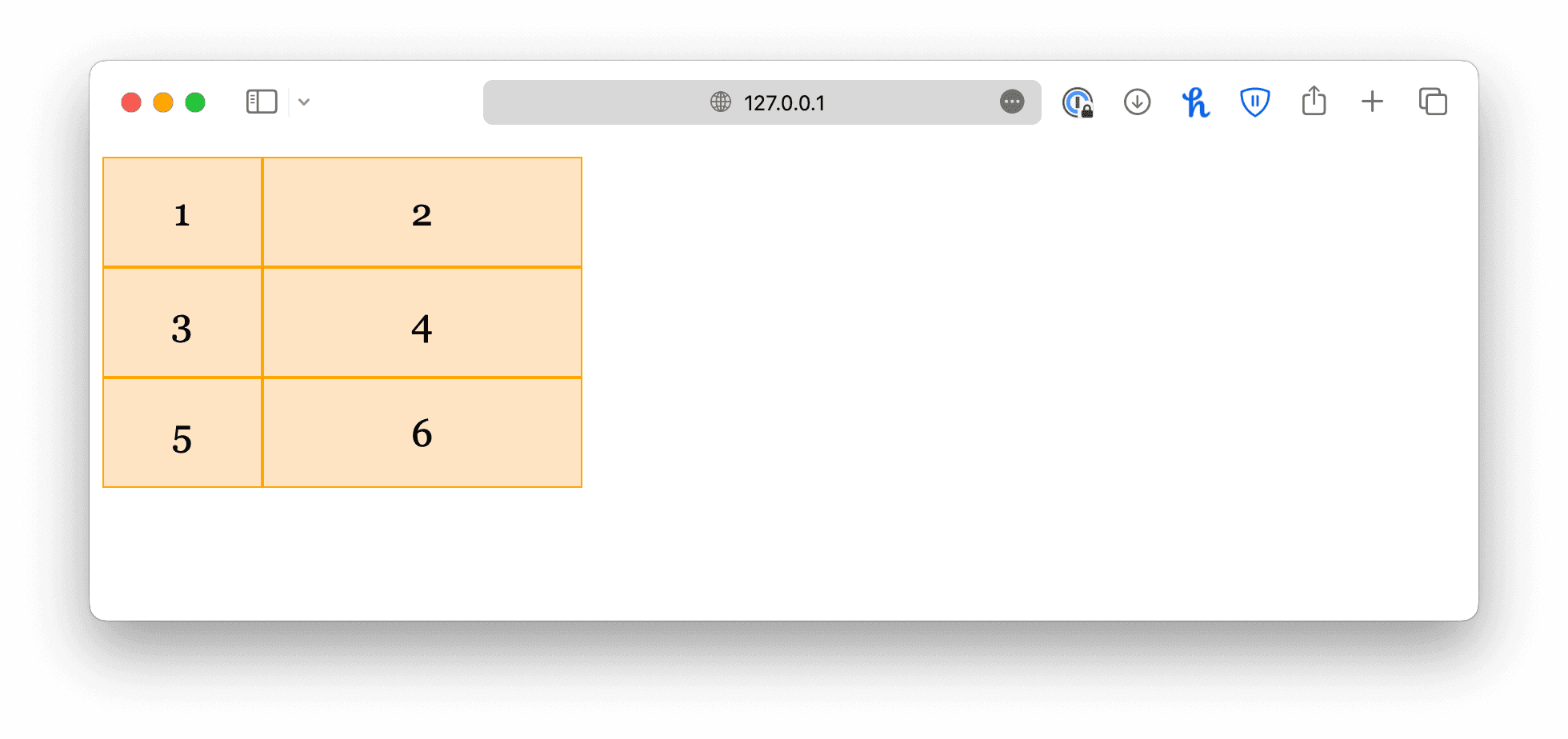
In this example, we created two columns, the first one is 100px wide, and the second one is 200px wide.
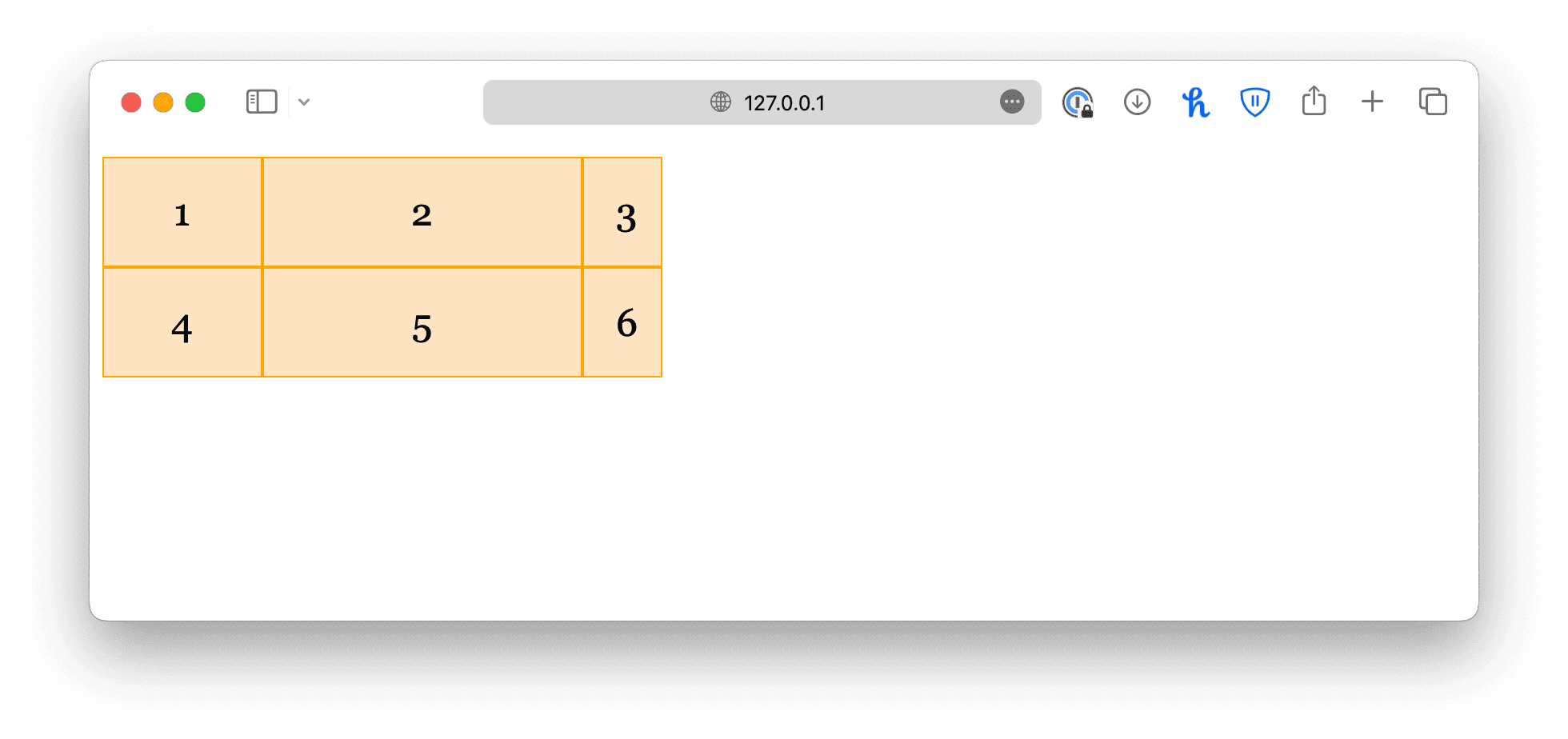
If you want more columns, just add more values like this:
css
.container {
  display: grid;
  grid-template-columns: 100px 200px 50px;
}
If you want all columns to be equal in size, set the value to auto.
css
.container {
  display: grid;
  grid-template-columns: auto auto auto;
}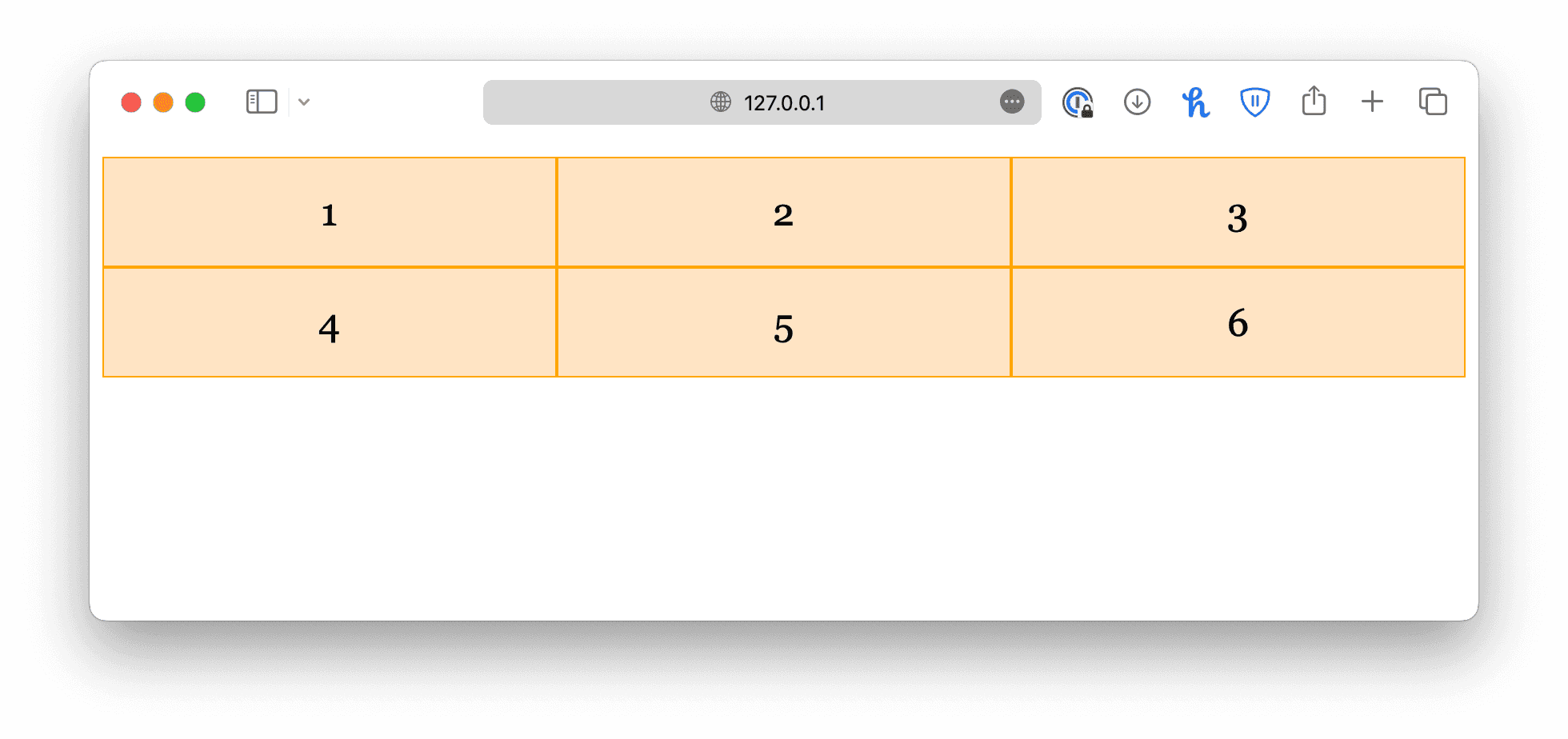
This allows the browser to choose an appropriate column size that fills the parent container.
Grid rows
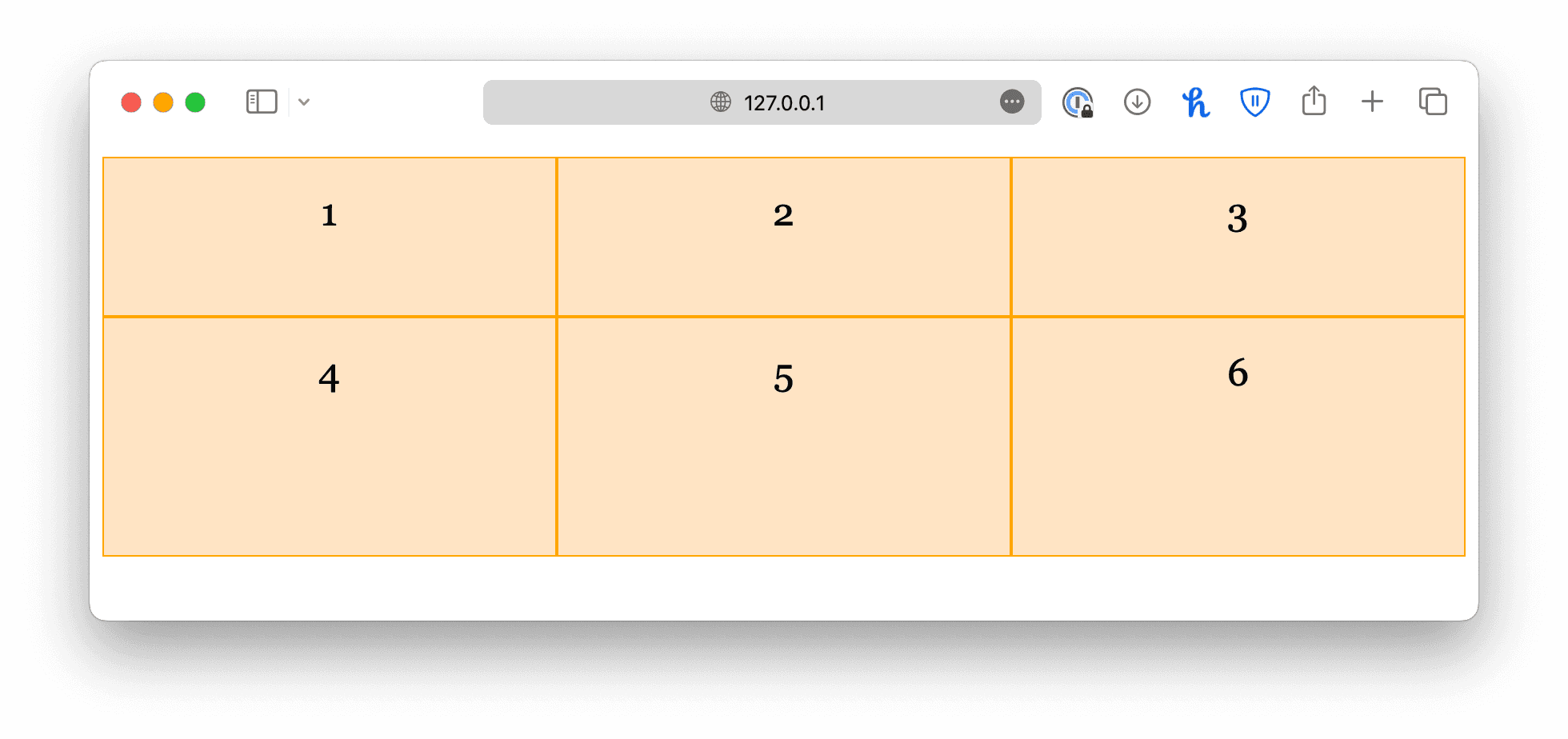
The grid rows, on the other hand, are created automatically. You can define row sizes using the grid-template-rows property.
css
.container {
  display: grid;
  grid-template-columns: auto auto auto;

  grid-template-rows: 100px 150px;
}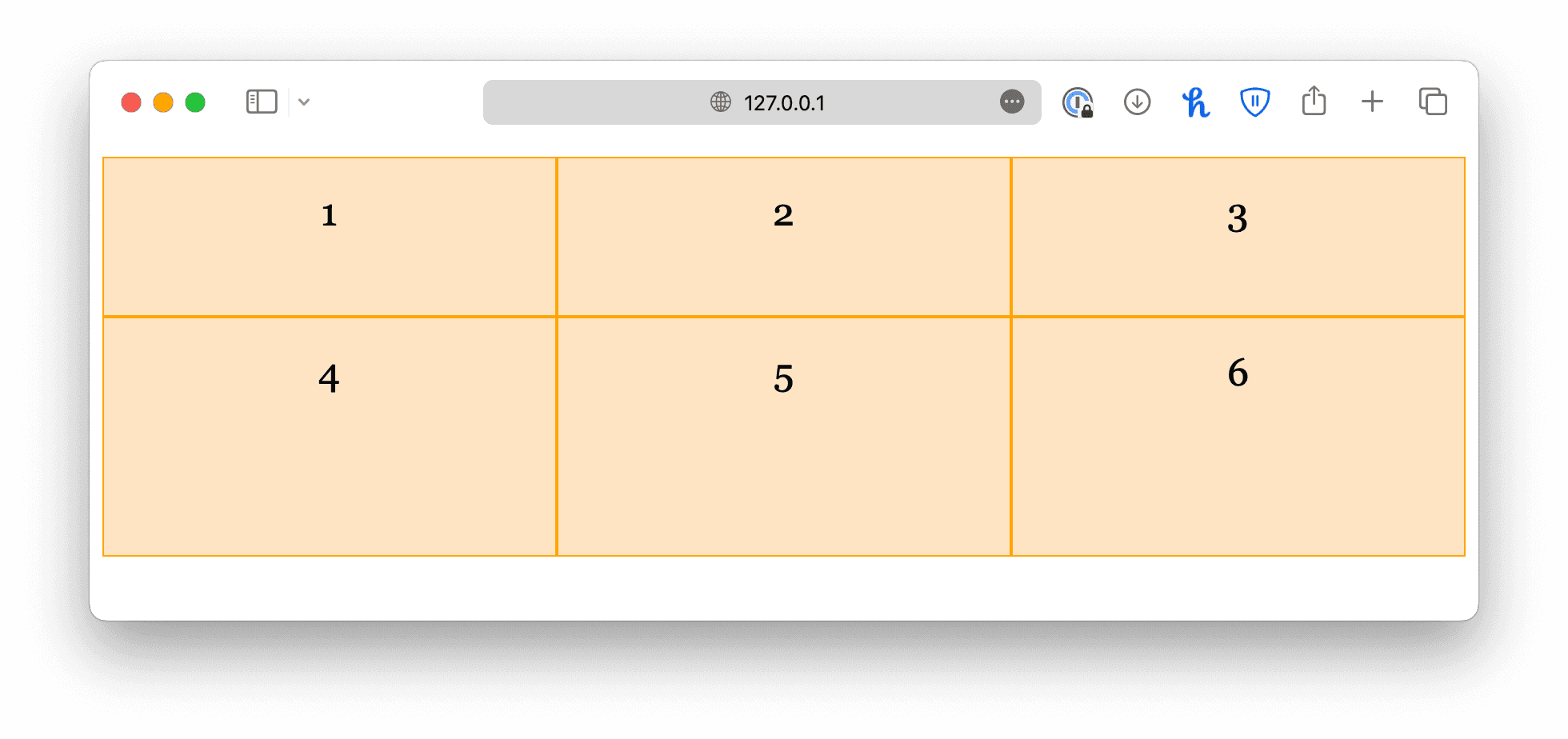
In this case, grid-template-rows does not determine the number of rows in the grid. It only controls the row height. Extra values will be ignored.
The grid template shorthand
Lastly, grid-template is a shorthand property for grid-template-columns and grid-template-rows with the following syntax:
text
grid-template: <row> <row> ... / <col> <col> ...;css
.container {
  display: grid;
  grid-template: 100px 150px / auto auto auto;
}
<!DOCTYPE html>
<html lang="en">

<head>
  <meta charset="UTF-8">
  <meta name="viewport" content="width=device-width, initial-scale=1.0">
  <title>Document</title>

  <link rel="stylesheet" href="/styles.css">
</head>

<body>
  <div class="container">
    <div class="item">1</div>
    <div class="item">2</div>
    <div class="item">3</div>
    <div class="item">4</div>
    <div class="item">5</div>
    <div class="item">6</div>
  </div>
</body>

</html>