
React Context Hooks

⚛️ The Hook That Makes Data Available Everywhere
Theme, user authentication, language preferences, these are pieces of data that many components need.
Passing them through props is tedious.
useContext gives you a direct line. Any component can access the data, anywhere in the tree.
✅ useContext ✅ Creating and providing context ✅ Updating context values ✅ Combining with useReducer
#react #hooks #usecontext #context #webdev #frontend #coding #tips
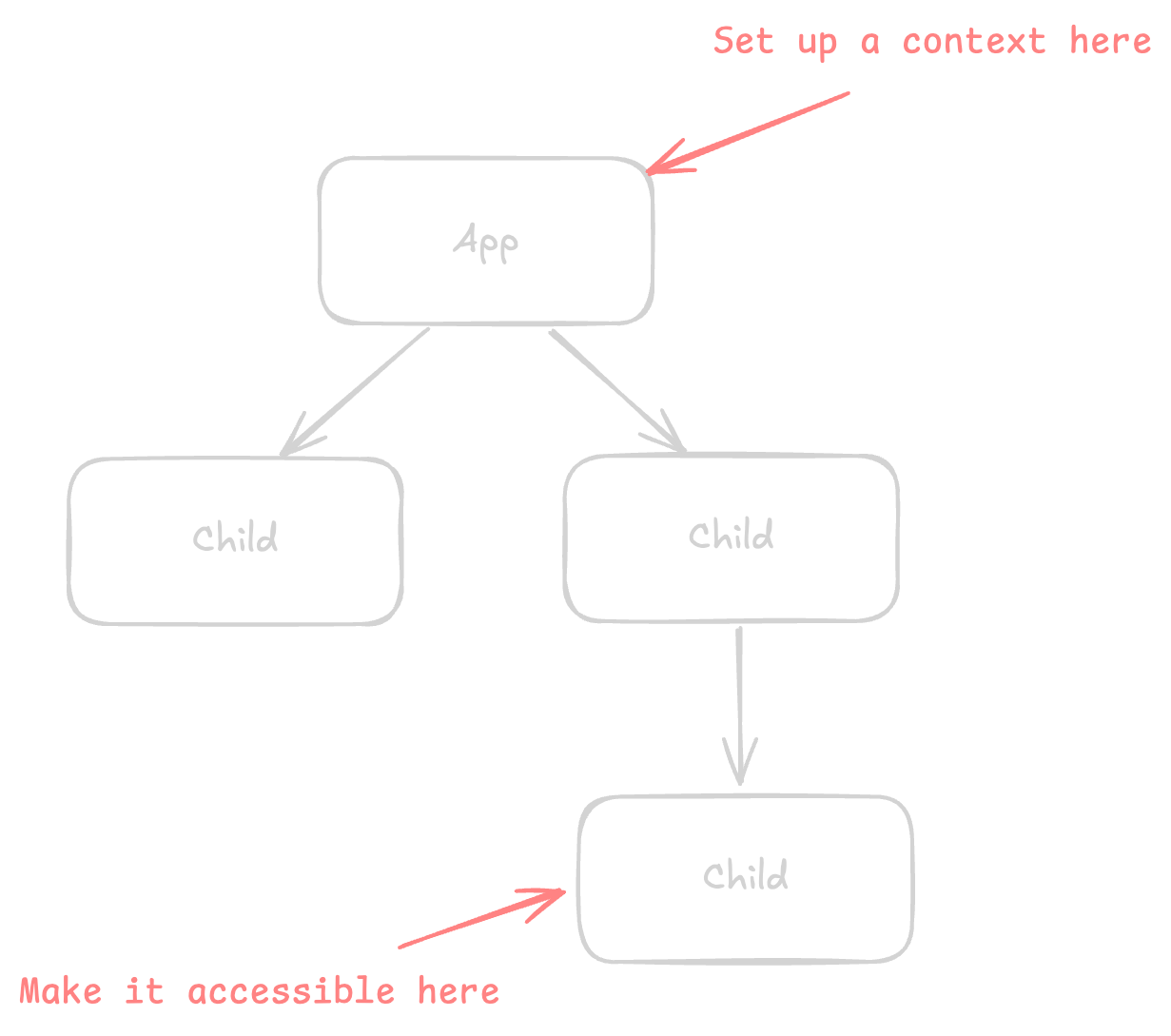
Context lets a parent component share data with the entire component tree below it, without passing props through every level.
Creating context
Create a context with a default value. The default will be used only when no provider is found.
import { createContext } from "react";

const ThemeContext = createContext("light");
Providing context
Wrap the component tree inside a provider, and the context will be shared with all components below it.
function App() {
  const [theme, setTheme] = useState("dark");

  return (
    <ThemeContext value={theme}>
      <Page />
    </ThemeContext>
  );
}
Any component inside Page can now read the theme.
Consuming context
Call useContext in any component below the provider to read the context value.
function ThemedButton() {
  const theme = useContext(ThemeContext);

  return <button className={theme}>Click me</button>;
}
Remember that the component re-renders whenever the context value changes.
Updating context
To update the context, pass both the value and the setter function through context.
const ThemeContext = createContext(null);

function App() {
  const [theme, setTheme] = useState("dark");

  return (
    <ThemeContext value={{ theme, setTheme }}>
      <Toolbar />
    </ThemeContext>
  );
}function Toolbar() {
const { theme, setTheme } = useContext(ThemeContext);
return (
<button onClick={() => setTheme(theme === "dark" ? "light" : "dark")}>
Current: {theme}
</button>
);
}Combining with useReducer
Context can be used with a reducer for complex shared state.
const TodosContext = createContext(null);
const TodosDispatchContext = createContext(null);

function TodosProvider({ children }) {
  const [todos, dispatch] = useReducer(todosReducer, []);

  return (
    <TodosContext value={todos}>
      <TodosDispatchContext value={dispatch}>{children}</TodosDispatchContext>
    </TodosContext>
  );
}
Components read state and dispatch separately.
const todos = useContext(TodosContext);
const dispatch = useContext(TodosDispatchContext);
Custom hook pattern
Wrap useContext in a custom hook for a cleaner API and error handling.
function useTheme() {
  const context = useContext(ThemeContext);

  if (context === null) {
    throw new Error("useTheme must be used within a ThemeProvider");
  }

  return context;
}

// Usage
const { theme, setTheme } = useTheme();
Full-Stack AI Developer Roadmap
From HTML & CSS to working with AI models, all in one structured roadmap.
