
JavaScript Destructuring

🧩 Make Your Code Cleaner with JavaScript Destructuring
Destructuring lets you unpack values from arrays and properties from objects into variables, with a clean and readable syntax.
✅ Array destructuring ✅ Object destructuring ✅ Default values ✅ Renaming variables ✅ Nested destructuring ✅ Rest pattern ✅ Function parameters
#javascript #destructuring #arrays #objects #es6 #syntax #webdev #frontend #coding #tips
Destructuring is a way to extract values from arrays and objects into individual variables.
Array destructuring
Assign array elements to variables by position.
const colors = ["red", "green", "blue"];
const [first, second] = colors;

console.log(first); // "red"
console.log(second); // "green"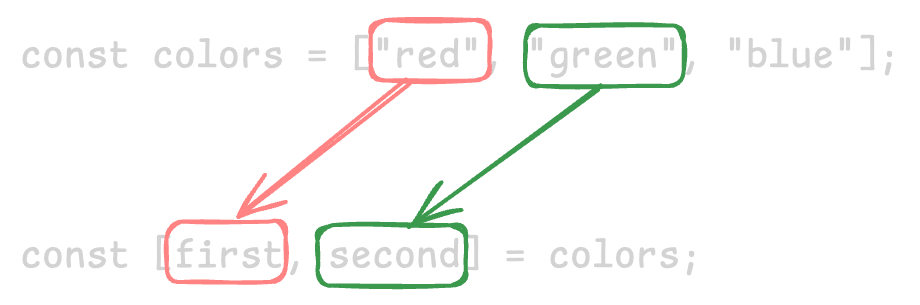
You can skip elements with commas.
const [one, , three] = [1, 2, 3];
console.log(one); // 1
console.log(three); // 3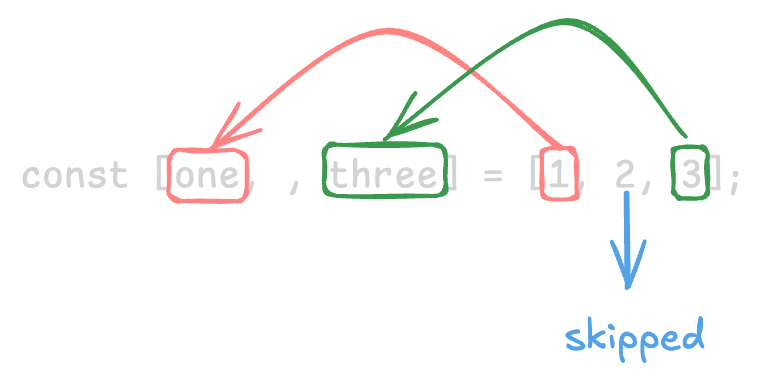
Object destructuring
Assign object properties to variables by their names.
const user = { name: "Ada", age: 30, role: "admin" };
const { name, role } = user;

console.log(name); // "Ada"
console.log(role); // "admin"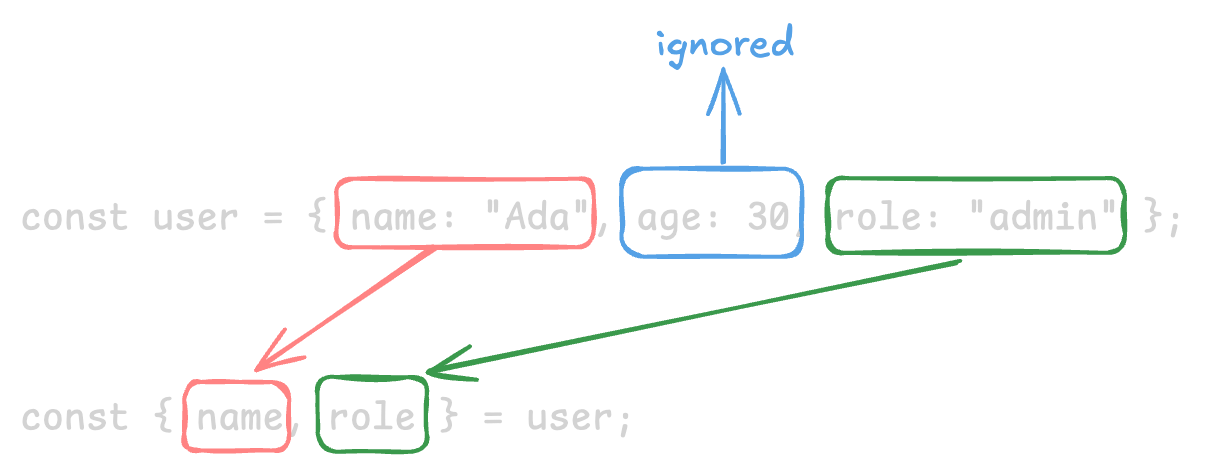
Default values
Provide fallback values when a property is undefined.
const settings = { theme: "dark" };
const { theme, fontSize = "16px" } = settings;

console.log(theme); // "dark"
console.log(fontSize); // "16px"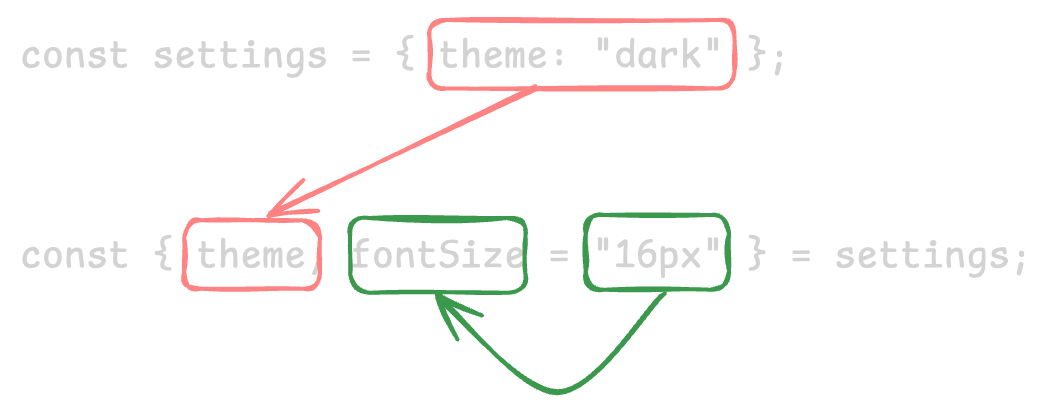
Renaming variables
Rename variables while destructuring.
const person = { firstName: "Grace", lastName: "Hopper" };
const { firstName: first, lastName: last } = person;

console.log(first); // "Grace"
console.log(last); // "Hopper"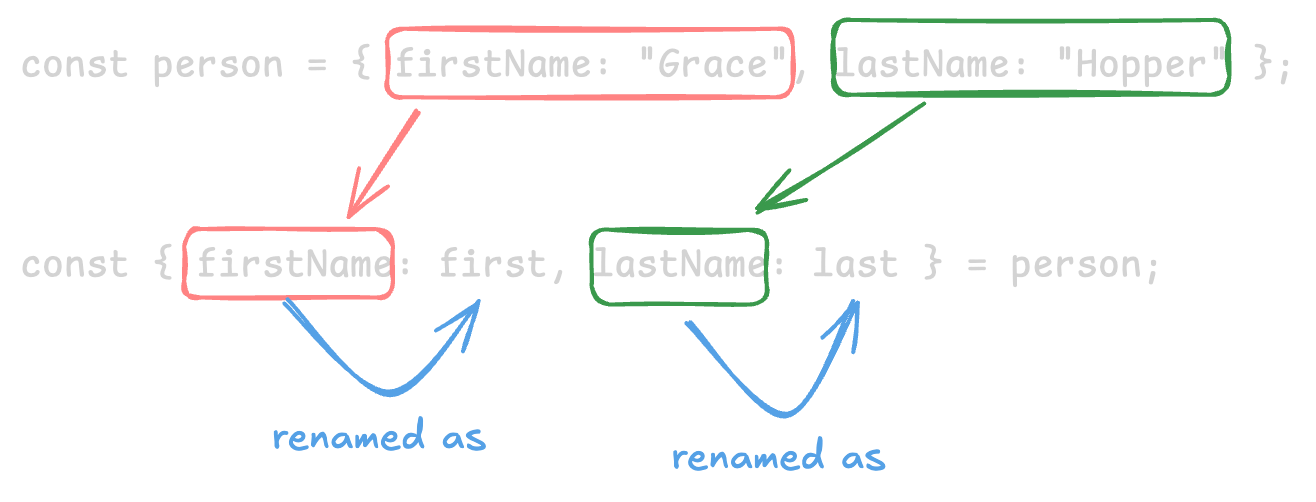
Nested destructuring
Unpack values from nested structures.
const product = {
  title: "Laptop",
  specs: {
    ram: "16GB",
    storage: "512GB",
  },
};

const {
  title,
  specs: { ram },
} = product;

console.log(title); // "Laptop"
console.log(ram); // "16GB"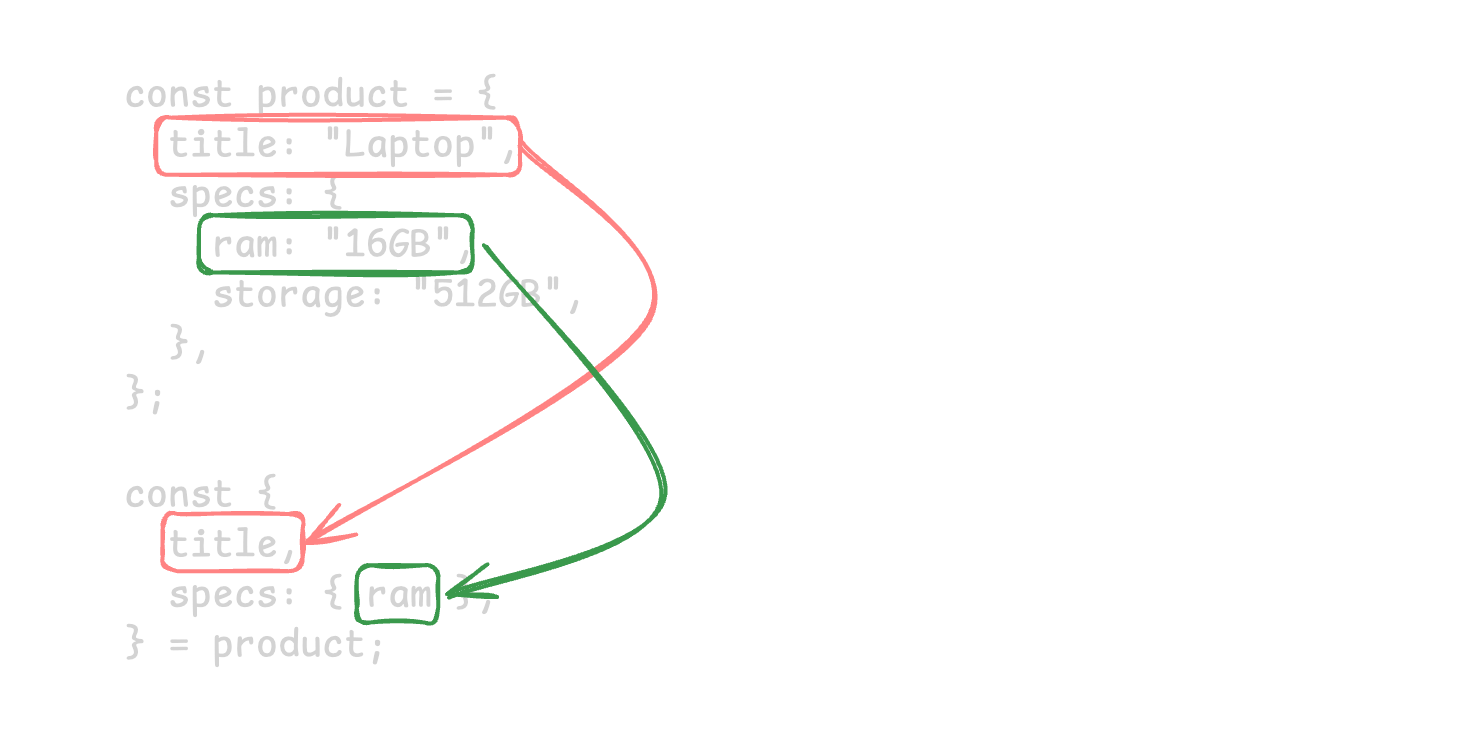
Rest parameter
Collect remaining elements or properties into a new array or object using a rest parameter.
const numbers = [1, 2, 3, 4, 5];
const [first, second, ...rest] = numbers;

console.log(first); // 1
console.log(second); // 2
console.log(rest); // [3, 4, 5]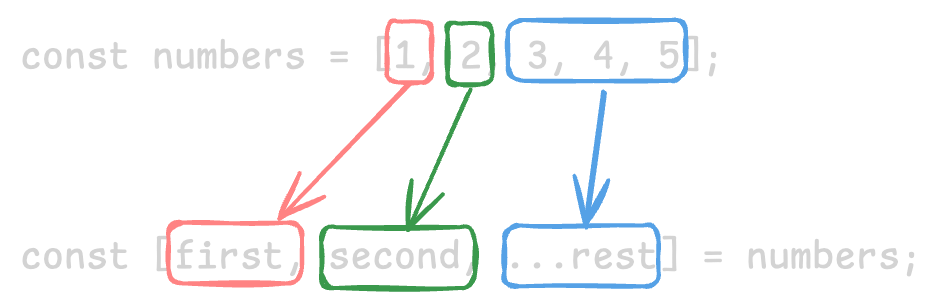
Function parameters
Destructuring makes function arguments clearer.
function greet({ name, greeting = "Hello" }) {
  return `${greeting}, ${name}!`;
}

greet({ name: "Grace", greeting: "Hi" }); // "Hi, Grace!"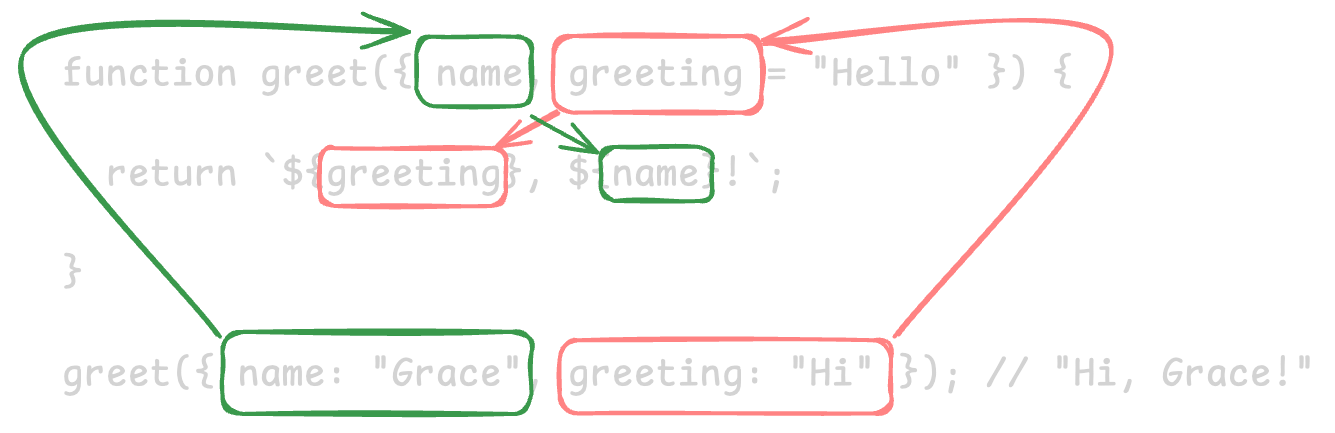
Full-Stack AI Developer Roadmap
From HTML & CSS to working with AI models, all in one structured roadmap.
